
Monthly Archives: May 2009

7 Totally Unique Flickr Search Tools

Written by Ben Parr

Flickr Search ImageSometimes it’s simply overwhelming how many gorgeous photos there are on FlickrFlickr reviews – sifting through them to find a picture to use on your blog or to just admire can be a chore. Luckily for us however, Flickr has an API, meaning that some creative developers have built alternative Flickr search engines.

Whether you’re just looking for a more feature-rich version of Flickr search or want to perform search in a completely different way, these seven Flickr search tools will serve you in finding that perfect photo.

Do you have a favorite Flickr search tool? Be sure to share it with us in the comments.


1. Compfight
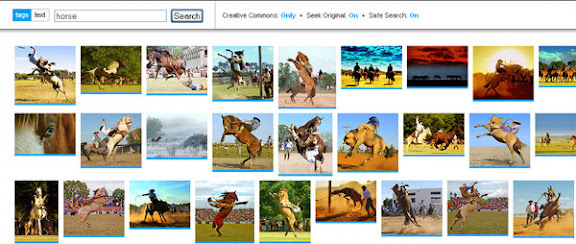


Compfight Image

Compfight is a visual Flickr search tool that displays searched photos based on tags or text. Beyond showing you pictures that match your search, the other cool thing about compfight is that it makes it dead simple to search for creative commons pictures that you can use for your blog. It’s a simple and fast-loading interface for Flickr searches.


2. Flickr Color Selector
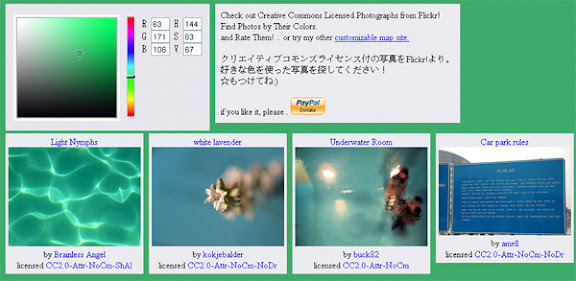


Compfight Image

Are you looking for cool pictures, but you really need them to match your website’s color scheme? Flickr Color Selectr searches through images on the popular photos site by differentiating by color. Just pick your color on the RGB chart.

Note: this search engine is partially in Japanese, but it doesn’t impede you from using this particular tool.


3. FlickrBabel
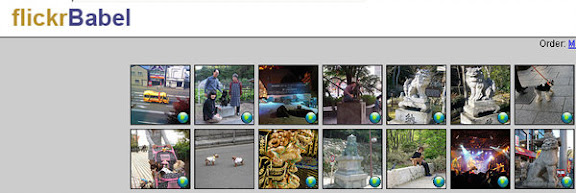


FlickrBabel Image

FlickrBabel is a mash-up of Flickr search and Google Translate. If you find a cool image but can’t understand the underlying text, FlickrBabel uses GoogleGoogle reviews translate to interpret the message. It also supports location-based searches. Heck, FlickrBabel even has its own Twitter account


4. FlickrStorm
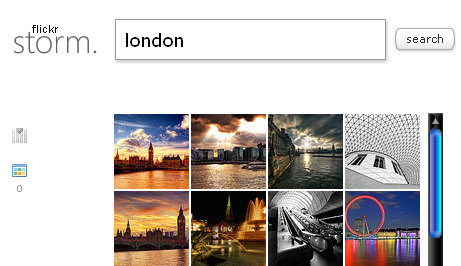


FlickrStorm Image

The Flickr search engine is smart, but it isn’t perfect when you’re looking for photos related to a topic? FlickrStorm comes to the rescue. FlickrStorm pides search into multiple columns and suggests search refinements with additional related keywords.


5. Picishare


PiciShare Image

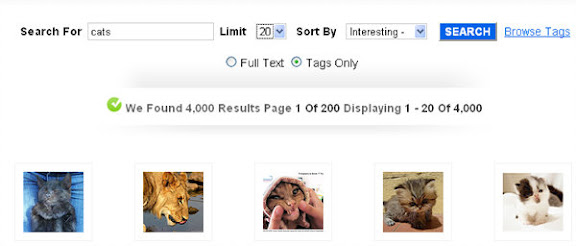
If you’re just looking for a straight-up alternative to Flickr search, then PiciShare may be one to look at. It has all of the meat – tag search, relevance, whether it’s “interesting”, and more. It also allows you to limit the number of photos that appear if you’re on a slow web connection.


6. Flickrriver



Flickrriver Image

Flickrriver is a search tool that focuses on recent and interesting pictures – specifically ones uploaded in the last day or two.


7. Tag Galaxy


Tag Galaxy

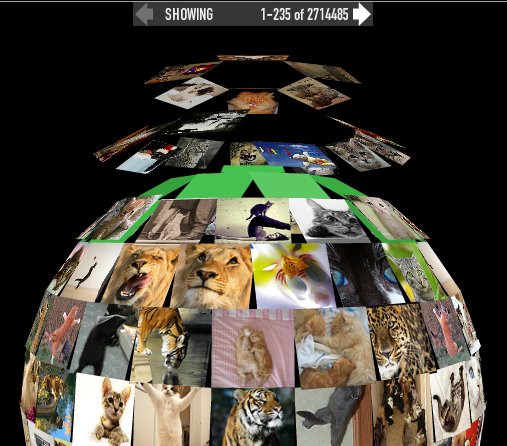
I can’t even explain to you how “out there” Tag Galaxy is as a Flickr search engine. It represents Flickr tags as the solar system. The keyword you use is the sun, related keywords are planets, clicking on any shows you a planet full of pictures. It is, by far, the most dynamic way to search Flickr.

10 Preventable Mistakes to Avoid Losing your Job

Written by Kyle Reddoch

Have you ever wanted to disappear after committing some stupid faux pas? If it occurs in a professional context, it could be more than embarrassing – it could cost your business or hurt your career. You want visibility in your career. However, that visibility should be a positive one. The last thing you need is a gaffe – that is, doing something (mentioned in the meaning above) that would put you in the negative spotlight. Here are 10 things to beware of:

1. Misspelling someone’s name

A person’s name is one of the most important possessions – so make sure to spell it right. Nothing indicates a lack a professionalism more than misspelling a person’s name. When in doubt, ask. Most people won’t find your question annoying. In fact, they’ll be honored that you thought spelling their name was important enough to check directly.

A misspelling need not involve only a personal name, either. It might be a key term used in your organization, profession, or industry. A company’s name is also among these.

2. Mispronouncing a name

The same logic regarding spelling applies to pronunciation. As before, simple as the person directly. If you have to, make up a phonetic representation of the name and practice it with the person. Again, people won’t mind your taking up their time this way; they’ll be flattered that you care about saying their name correctly (as long as they don’t have to have the same conversation with you more that once).

3. Commenting on a personal/family photo

I once a man and a women, thought they were brother and sister, I managed to keep my mouth shut. They turned out to be father and daughter.

The mistake I avoided, however, can occur with photographs as well. If you see a personal or family photo on a person’s desk, avoid commenting on relationships. That young boy you though was a grandson could possibly just be a son. Similarly, if you know the photo is an earlier one of the person you’re meeting with, avoid comments like “You looked great back then.”

4. Asking about pregnancy

No matter how much the women looks like she’s showing, keep your mouth shut until she actually brings the subject up. If you ask, and the answer is “no”, you will have no graceful retreat. If you’re conducting an interview, you have also opened the door wide open to a discrimination lawsuit.

5. Asking about unseen/absent spouse

Suppose last year you were at a company get together and saw your co-worker and their spouse. This year, you only see the co-worker. As with the pregnancy situation, keep our mouth shut. Don’t be in the position; asking about the spouse only to be told. “We’re divorced.”

6. Referring improperly to your boss

The same errors in determining family relationships can apply to office ones also. If you’re planning to be away and want to refer callers to our boss, that’s perfectly fine. However, make sure that your boss is okay with these referrals. More important, make sure your voicemail greeting or e-mail auto-reply makes the relationship clear. Don’t just say. “If you have any questions, please contact Kyle Reddoch at (phone number or e-mail address).” Say instead, “…please contact my supervisor/boss, Kyle Reddoch…”

7. Failing to reset your voicemail or e-mail auto-reply

When you return from time away from work, undo any absence greeting or auto-replies you’ve setup. Few things make you look dumber than having a greeting that references your return to work date from three months ago. If you think you’re going to forget, try placing a note on your phone or computer monitor.

8. Leaving a departed employee in voicemail / or on the Web

Once an employee leaves your company, remove that person from voicemail and any online directories that you may have. Leaving a person in place can make the company look foolish. Also, you might create the opportunity for an unaware caller to still leave a message for that departed employee, leaving the message to get missed.

9. Correcting the boss

Correcting your boss will rarely endear you to that person. If he or she made a mistake, try to correct it in as low-profile a way as possible. Perhaps you can talk to your boss during a break? However, you may (and should) publicly correct the boss when the boss in wrong about being wrong. In that limited circumstance, public correction is okay.

10. Displaying disunity in public

If you have disagreements with another person or department, resolve them privately. Don’t air dirty laundry to outsiders. Doing so makes your whole organization look bad.

Kyle Reddoch is the Owner of The Everyday Web Expert, a full service web design firm located in Amarillo, TX. He is also a featured writer on many blogs. He loves every minute of his life with his wonderful wife and two kids at their home in Amarillo.