Written by Michael Brooks
Author Michael Books has investigated some of the most puzzling anomalies of modern science, those intractrable problems that refuse to conform to the theories. Here he counts down the 13 strangest.
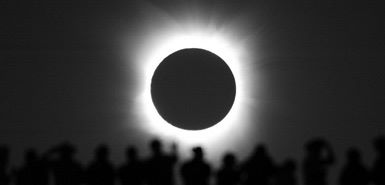
1. MOST OF THE UNIVERSE IS MISSING
We can only account for 4 per cent of the cosmos
If you’re wondering what the LHC might do for you, how’s this: it might just find a whole quarter of the universe. The collider is hoping to create some particles of what physicists call “dark matter”, an enigma that is thought to make up roughly 25 per cent of the universe. Then there is the “dark energy”, a mysterious force that seems to be ripping space and time apart. In total, a whopping 96 per cent of the universe has gone AWOL. Unless, that is, we’ve got our maths all wrong. Watch this space.
Times Archive: Pioneer 11 arrival at Saturn, 1974
3. VARYING CONSTANTS
Destabilising our view of the universe
A decade ago, we discovered that the fundamental constants of physics might not be so constant after all. These are the numbers that describe just how strong the forces of nature are, and make the laws of physics work when we use them to describe the processes of nature. Light that has travelled across the universe from distant stars tells us those laws might have been different in the past. Though the physical laws and constants have helped us define and tame the natural world, they might be an illusion.
4. COLD FUSION
Nuclear energy without the drama
In 1989, the world was rocked by claims that you could release nuclear energy without a catastrophic explosion. Various failures to replicate or explain these results soon ended the careers of the scientists involved. But, despite what you might have heard, “cold fusion” never really went away. Over a 10-year period from 1989, US navy labs ran more than 200 experiments to investigate whether nuclear reactions generating more energy than they consume – supposedly only possible inside stars – can occur at room temperature. Numerous researchers have since pronounced themselves believers. With controllable cold fusion, many of the world’s energy problems would melt away: no wonder the US Department of Energy is interested again.
5. LIFE
Are you more than just a bag of chemicals?
Are you more than the sum of the inanimate chemicals that make up your body? What turns a living tree into a lifeless piece of wood? No one knows. Researchers have even given up trying to define what life is. But they are still trying to understand it – by making it from scratch. In labs across the world, people are taking the raw materials of living things and trying to put them together in a way that makes them come alive. In an effort to resolve the anomalous nature of life, the idea of scientists playing God has taken a whole new turn. Times Archive: Dr Edmund Leach on when scientists play God, 1968
6. METHANE FROM MARTIANS
NASA scientists found evidence for life on Mars. Then they changed their minds
On July 20, 1976, the Viking landers scooped up some Martian soil and mixed it with radioactive nutrients. The mission’s scientists all agreed that if radioactive methane was released from the soil, something must be eating the nutrients – and there must be life on Mars. The experiment gave a positive result, but NASA denied an official detection of Martian life. Today, there is even more evidence that something is creating methane on Mars. Is it life? The Viking experiment suggests it was. Martin Rees, England’s astronomer royal, calls the search for extraterrestrial life the most important scientific endeavour of our time. But have we already found it? Times Archive: Spacecraft evidence suggests life on Mars was possible, 1976
7. THE WOW! SIGNAL
Has ET already been in touch?
It was an electromagnetic pulse that came from the direction of the Sagittarius constellation. It lasted 37 seconds and had exactly the characteristics predicted for an alien signal. Maybe that’s why, on 15 August 1977 it caused astronomer Jerry Ehman to scrawl “Wow!” on the printout from Big Ear, Ohio State University’s radio telescope in Delaware. The nearest star in that direction is 220 light years away. If that really is where is came from, it would have had to be a pretty powerful astronomical event – or an advanced alien civilisation using an astonishingly large and powerful transmitter. More than 30 years later, its origin remains a mystery. Times Archive: ET, The Extra Terrestrial, The Times review 1982
8. A GIANT VIRUS
It’s a freak that could rewrite the story of life
Mimivirus is sitting in a freezer in Marseille. Around thirty times bigger than the rhinovirus that gives you a common cold, it is by far the biggest virus known to science. But this virus’s biggest impact won’t be on the healthcare systems of the globe. It will be, most likely, on the history of life on Earth. Mimivirus doesn’t fit with the established story of how life on Earth got going. Mimi has a genome that, in parts, looks like yours. Mimivirus seems to be part of the story of life on Earth. It may even make us rewrite it.
9. DEATH
Evolution’s problem with self-destruction
Why must we die? It is a question that splits biologists, and over the years, theories have been batted back and forth as new evidence comes to light. One answer is that death is simply necessary – to avoid overcrowding, for instance. But evolution doesn’t – can’t – select for a “death switch” because evolution is supposed to be all about the inpidual. And yet there does seem to be a death switch: researchers have managed to locate genetic switches that massively extend the lifespan of some nematode worms. Can we solve the riddle of death? Times Archive: Why die? Experiments in immortality, 1921
10. SEX
There are better ways to reproduce
Sex is everywhere, but no one knows why. It is a question that “better scientists than I have spent book after book failing to answer,” says Richard Dawkins. To Charles Darwin, the reason for the prevalence of sexual reproduction was “hidden in darkness”. All the arguments in favour of sexual reproduction are countered by stronger arguments in favour of self-cloning: asexual reproduction, where an organism produces a copy of itself, is a much more efficient way to pass your genes down to the next generation. There’s no proof that sex makes a species more resilient, or better placed to cope with change. Why is it still around? Times Archive: Darwin on the Descent of Man, 1871 Part 1 Part 2
11. FREE WILL
Your decisions are not your own
Our gut instinct, our experience, is that we make the decisions to move, to think, to eat, to steal, to lie, to punch and kick. We have constructed the entire edifice of our civilisation on this idea. But science says this free will is a delusion. According to the world’s best neuroscientists, we are brain-machines. Our brains create the sense that somewhere within them is the “you” that makes decisions. But it is an illusion; there is no ghost in the machine. What does this mean for our sense of self? And for our morality – can we prosecute people for acts over which they had no conscious control? Times Archive: Necessity and free will, 1877
12. THE PLACEBO EFFECT
Who’s being deceived?
The placebo effect used to be thought of as just a manipulation, a mind-trick. Doctors wore white coats, spoke in soothing tones, exuding confidence and medical know-how, and if they told you a pill would make you better, it would. By the time you found out it was just a sugar pill, you were feeling great, so who cares? Well, lots of people, actually, because our new understanding of placebo is messing up medicine. Some prescription drugs that were judged to perform “better than placebo” in clinical trials don’t work unless you know you’re taking them. All in all, the gold standard of medicine, the placebo-controlled clinical trial, is looking a little peaky. Times Archive: Science report: Endorphins and the placebo effect, 1978
13. HOMEOPATHY
It’s patently absurd, so why won’t it go away?
Homeopathy’s claim is that you can take a substance of dubious properties, dilute it to the point where there are no molecules of the original substance left in the sample you have, and still use it to heal sickness. Sir John Forbes, the physician to Queen Victoria’s household, called it “an outrage to human reason.” There is no justification in all of science for this idea — and yet there remains some slim evidence that homeopathy works. How can this be? Times Archive: Advertisement: The New Homoeopathy, 1914
13 Things That Don’t Make Sense – The Most Intriguing Scientific Mysteries of Our Time by Michael Brooks is published by Profile Books, £12.99 More information at Michael’s website.